


It’s super easy to modify the query for the posts block and the query loop block in the email editor!
Identify your custom query
In the query settings of both blocks you’ll see a Query ID option where you can enter a string identifier. You’ll then use that ID in an action in the format "groundhogg/block_query/<your-query-id>".
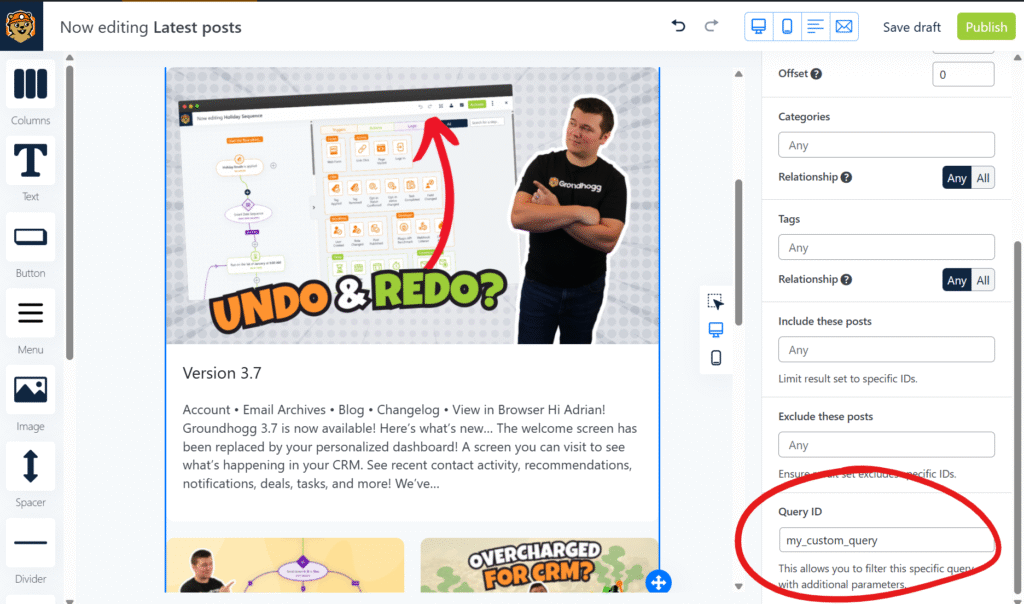
Thus, if your query ID is "liked_posts" for example, the action hook will be "groundhogg/block_query/liked_posts".
Code examples
Below is an example implementation.
<?php

/**
 * Filter the query for either the Posts block or the Query loop block depending on the ID of the query in question
 * For available query parameters, see https://developer.wordpress.org/reference/classes/wp_query/
 *
 * Note 1: This is executed AFTER any other query parameters have been set by the block, including post type, inclusions, exclusions, and taxonomies.
 *
 * Note 2: If you're not getting the query results you want, it's possible other plugins are filtering this query as well, as the `pre_get_posts` hook is used here.
 *
 * @param WP_Query $query the query for the block
 * @param array    $block the raw parameters of the block itself
 *
 * @return void
 */
function filter_custom_block_query( WP_Query &$query, array $block ) {

	$query->set( 'post_type', 'my_custom_post_type' );

	// you can use the_email() to get the email that this query is being generated for
	$email = \Groundhogg\the_email();

	// from the email you can get the current contact as well
	$contact = $email->get_contact();

	// Example 1: use contact custom field data to modify the query, such as any post IDs stored in their meta
	$liked_posts = wp_parse_id_list( $contact->get_meta( 'like_posts' ) );
	$query->set( 'post__in', $liked_posts );

	// Example 2: we can get the user ID from the contact record, if there's one linked, and from that we can filter based on author
	$user_id = $contact->get_user_id();
	// if there is a linked user
	if ( $user_id ){
		$query->set( 'author', $user_id );
	}

	// Example 3: retrieve posts that have a custom field equal to the value of a custom field in the contact record
	$custom_field = $contact->get_meta( 'custom_field' );
	$query->set( 'meta_query', [
		[
			'key'     => 'custom_field',
			'compare' => '=',
			'value'   => $custom_field,
		]
	] );

	// Example 4: retrieve posts that have the same tags as the contact has, given that the tags have the same slugs
	$tags = $contact->get_tags(true );
	$tag_slugs = \Groundhogg\parse_tag_list( $tags, 'slug' );
	$query->set( 'tag_slug__in', $tag_slugs ); // or 'tag_slug__and'
}

add_action( 'groundhogg/block_query/my_custom_query', 'filter_custom_block_query', 10, 2 );
Was this helpful?
Let us know if this document answered your question. That’s the only way we can improve.